
Listings
Write the full Amazon listing and launch content for a new product before it goes live.
Jump to skill ↓Overview
This skill helps you launch a new product with a complete listing on day one. A new product has no sales, no reviews, and no Search Query Performance of its own, so the skill ranks keywords by search volume plus a pre-launch signal: how many competitors rank for each term, or the market purchase rate from a sibling ASIN in your Atomic One store.
Give it your category flat-file template, a competitor file and a keyword file (Helium 10 or DataDive, or pulled from Atomic One MCP), screenshots of the 3 main competitors, your product data, and your product images. It checks the inputs first and tells you what is missing before it writes a word.
Every limit is checked by script: a 75 character title, 125 character Item Highlights, 5 bullets of 250 characters, a 2,000 character description, and 249 bytes of generic keywords. Competitor brands never appear in your copy, and facts it cannot confirm are marked [CONFIRM] instead of invented.
You get an Excel workbook with 13 tabs:
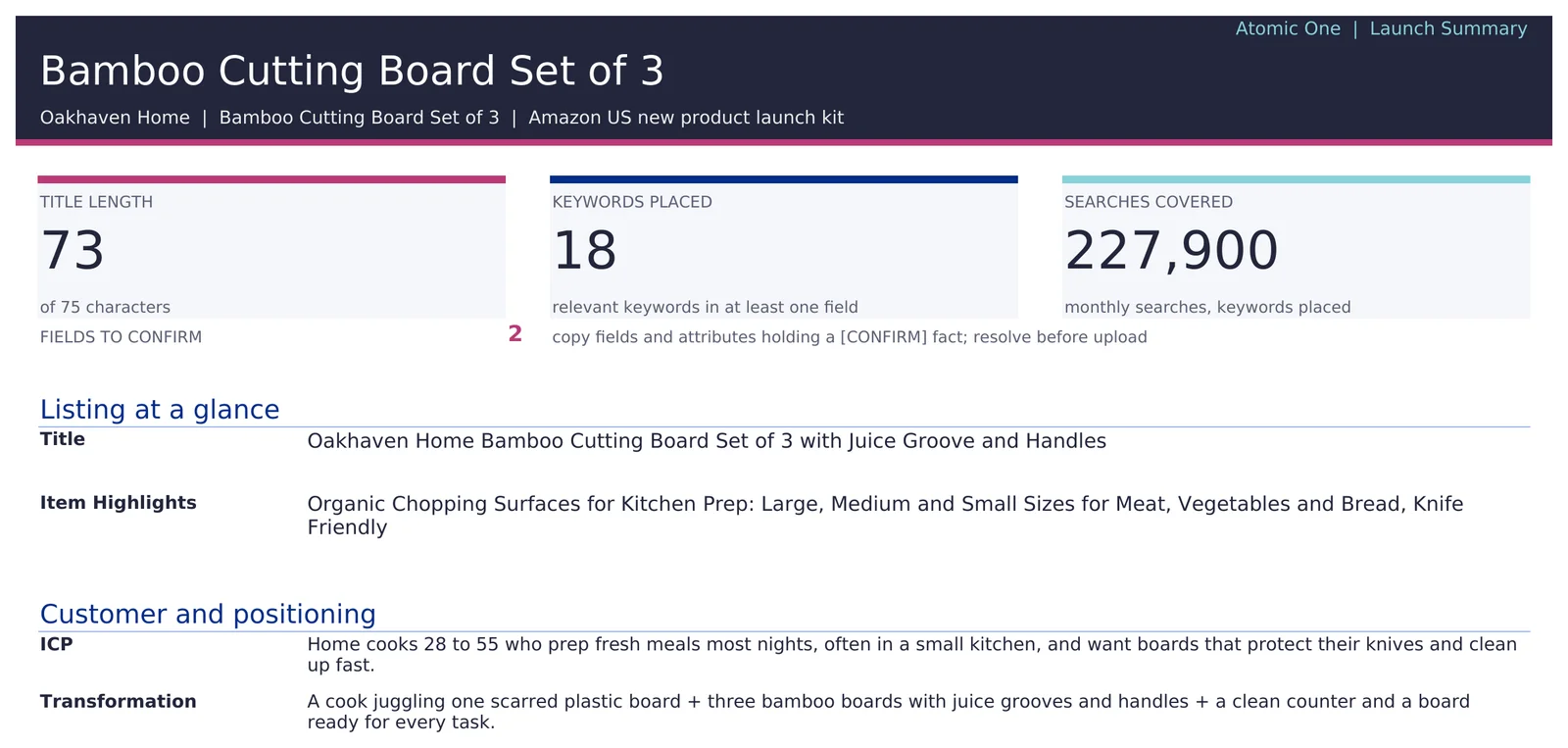
- Launch Summary: title length, keywords placed, monthly searches covered, open facts to confirm, the ideal customer, purchase anxieties, and how your listing compares with the strongest competitor.
- Listing Copy: title, Item Highlights, bullets, and description with live character counts and every keyword used with its search volume.
- Keyword Map: every keyword with its tier, priority, and where it was placed, or why it was left out.
- Generic Keywords, Backend Attributes, Controlled Attributes, and Compliance Attributes: values ready to paste, with what to fill, what to skip, and what needs proof.
- Competitor Gaps: each competitor claim with an Add, Skip, or Modify action.
- Image Briefs, A+ Premium Briefs, and UGC Video Brief: 7 listing images, 4 Premium A+ modules, and a 30-second video script.
- Launch Email: a 25% coupon email with 3 subject lines and a plain-text version.
Result
Skill
Unlock the full skill
Enter your name and email to download the skill. One email unlocks every skill in the library.By signing up, you agree to receive occasional product news and new skills from Atomic One. You can unsubscribe anytime. See our Privacy Policy.
How to use it
- Connect Atomic One MCP to Claude, ChatGPT, or Codex. It is free.
- Download the skill (.zip) and upload it to your AI tool as a skill.
- Describe in a new chat what you need in your own words. Your AI tool will ask for any missing details.
* These skills require your store connected through Atomic One MCP. They were built from real needs identified by Brand Managers and tested with Claude. Partial connections produce partial or inaccurate output.